What's the process of the Invitation Ticket tier?
Once you’ve made your reservation at the Nazo Nazo with the Invitation Ticket tier and the campaign comes to a finale, Jack will begin the process of bringing your animal into the world.
Will your animal be the companion, the dreamer, the entertainer, the fighter, or the bather?
- An email will be sent with directions, asking for information about your desired animal as well as a selection of photos.
- A preliminary sketch will be made to see how they might fit into the whimsical world. The sketch will be sent to you and you will have one chance to make some comments and requests (please note that requests will be listened to but might not always be completely achievable).
- The final illustration of your animal will be made and incorporated into the deck.
Note Rooms at the Nazo Nazo are processed based on who checked in first. People will be given choices of which card according to their backer number.
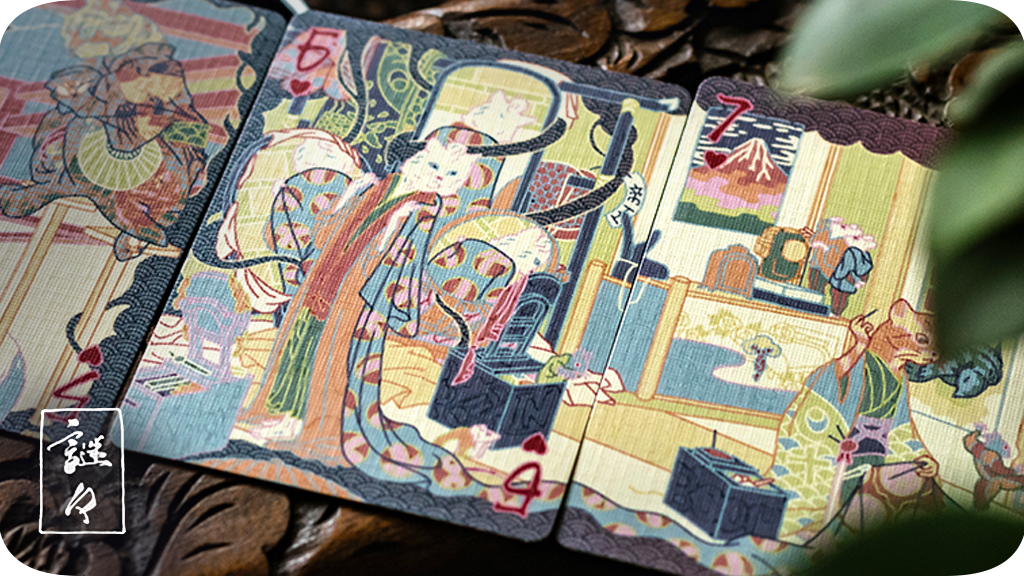
Note Each card is a proverb and full of riddles to find. The compositions are set and your animal will be drawn into them. It is the character that changes - not the stories at the guest house.
Note You will be contacted through all channels available to make sure you don’t miss your check-in, but if no response is received within two weeks of contact then the reservation must be forfeit otherwise the whole guest house would be at a stand-still.
Note Any animal is acceptable, but please be aware of what is possible for capturing resemblance. If your animal of choice is your beloved tarantula or fish, there may be challenges in fitting them into the Nazo Nazo room.
Last updated: October 11, 2022 16:44
How Do I Add An Item To My Pledge?
1) On the top right of the project page, click the green ‘Manage your pledge’ buton. 2) Click the blue ‘Change your pledge’ button at the bottom. 3) Click the green ‘Pledge $X’ button in the bottom right of your selected tier. 4) This will then open up the add on list.
Last updated: October 11, 2022 09:12
What is the size of the playing card uncut sheet?
All uncut sheets are 574mm x 610mm.
Last updated: October 17, 2022 12:36
What is included in the Puzzle Box add-on?
1 - Ten Step Japanese Puzzle Box 1 - Certificate of Authenticity 1 - Deck (Any deck released during the campaign including the KS exclusive Night Garden) 1 - Wooden Playing Card 1 - Wooden Cat 1 - Wooden Coin
Last updated: November 02, 2022 08:30
Are there any Invitation Tickets or Puzzle Boxes left?
Unfortunately they are all taken at this time.
Last updated: December 08, 2022 11:28
What is BackerKit?
BackerKit is a service that crowdfunded project creators use to keep track of hundreds to tens of thousands of backers—from shipping details, pledge levels, preferences and quantities, whether they have paid or had their card declined, special notes, and everything in between!
The BackerKit software and support team is independent from the campaign’s project team—BackerKit does not handle the actual reward shipping. For more information about the preparation or delivery status of your rewards, please check the project's updates page.
How does BackerKit work?
After the campaign ends, the project creator will send you an email with a unique link to your survey. You can check out a walkthrough of the process here.
I never received my invitation. How do I complete the survey?
The most common reasons for not receiving a survey email is that you may be checking an email inbox different from the email address you used to sign up with Kickstarter, Indiegogo or Tilt Pro account, or it may be caught in your spam filter.
Confirm that the email address you are searching matches the email address tied to your Kickstarter, Indiegogo, or Tilt Pro account. If that doesn’t work, then try checking your spam, junk or promotions folders. You can also search for "backerkit” in your inbox.
To resend the survey to yourself, visit the project page and input the email address associated with your Kickstarter, Indiegogo or Tilt Pro account.
How do I update my shipping address?
BackerKit allows you to update your shipping address until the shipping addresses are locked by the project creator. To update your address, go back to your BackerKit survey by inputting your email here.
When will my order be shipped, charged or locked?
That is handled directly by the project creator. BackerKit functions independently of the project itself, so we do not have control of their physical shipping timeline. If you want to check on the project’s status, we recommend reading over the project's updates page.
I completed the survey, but haven't received my rewards yet. When will they arrive?
As BackerKit does not actually handle any rewards or shipping, the best way to stay updated on the shipping timeline would be to check out the project's updates page.